

I already set remoteControlAtStartup: true in my Claude Code settings, so every session I start in a terminal shows up in the Claude mobile app, and I can poke at it from the subway. However, to start a new session requires Remote Control server mode.
cd ~/source
claude remote-control --name source
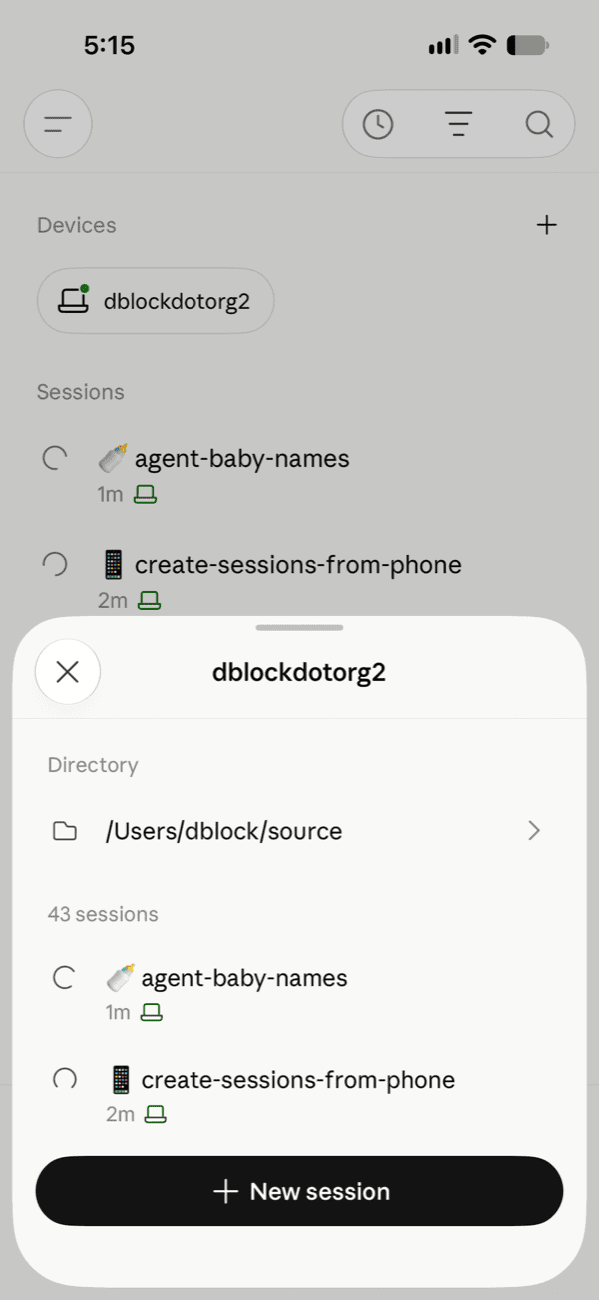
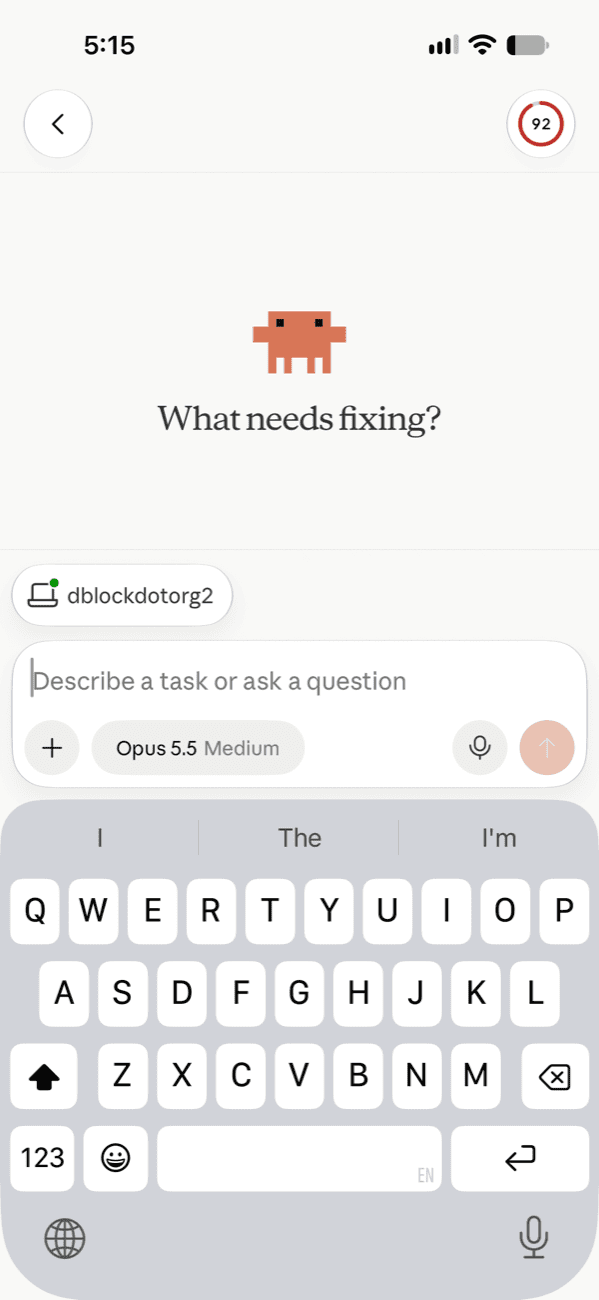
This runs a small server, and my Mac shows up under Devices in the Code tab of the mobile app (and on claude.ai/code) by its hostname, dblockdotorg2, with a green dot. Tap it, and there’s the directory, the sessions running on it, and a New session button. Type a prompt, and you get a new Claude Code session running on the Mac, in ~/source, with my usual settings, CLAUDE.md, skills, and memory. It allows 32 concurrent sessions by default (--capacity), and pre-creates one so there’s somewhere to type right away.
The catch is that it’s a process you have to keep running. Close the terminal tab, reboot, or lose the network for about 10 minutes, and it’s gone. To keep things alive I use launch agents.
The Launch Agent
<?xml version="1.0" encoding="UTF-8"?>
<!DOCTYPE plist PUBLIC "-//Apple//DTD PLIST 1.0//EN" "http://www.apple.com/DTDs/PropertyList-1.0.dtd">
<plist version="1.0">
<dict>
  <key>Label</key>
  <string>com.dblock.claude-remote-control</string>
  <key>ProgramArguments</key>
  <array>
    <string>/bin/bash</string>
    <string>-l</string>
    <string>-c</string>
    <string>exec claude remote-control --name source --permission-mode bypassPermissions</string>
  </array>
  <key>WorkingDirectory</key>
  <string>/Users/dblock/source</string>
  <key>RunAtLoad</key>
  <true/>
  <key>KeepAlive</key>
  <true/>
  <key>ThrottleInterval</key>
  <integer>30</integer>
  <key>StandardOutPath</key>
  <string>/Users/dblock/Library/Logs/claude-remote-control.log</string>
  <key>StandardErrorPath</key>
  <string>/Users/dblock/Library/Logs/claude-remote-control.error.log</string>
</dict>
</plist>
A few things worth explaining.
RunAtLoadstarts it when I log in, andKeepAliverestarts it whenever it exits, including the exit after a network outage.ThrottleIntervalkeeps a broken setup from restarting in a tight loop.bash -lgives the agent my loginPATH, so it finds~/.local/bin/claudeand picks up Claude Code’s auto-updates without hardcoding a version.- The server draws an interactive UI with a QR code, and I expected it to choke without a terminal. It doesn’t. Started with stdin from
/dev/null, it printsReadyandNew sessions will be created in the current directory, and works fine, so noscriptwrapper is needed. - The phone can’t select bypass permissions, so I pass
--permission-mode bypassPermissionsexplicitly to match the rest of my sessions. YMMV,autooracceptEditsare saner defaults. - No
caffeinate. I want the Mac to occasionally sleep, and sessions reconnect when it wakes.
In my setup ~/source isn’t a git repository, so --spawn worktree isn’t an option, and every new session starts in the same directory. That’s fine, I tell Claude which project to work on, and it finds the checkout by its remote.
Installing It
The plist lives in my dotfiles, and scripts/osx/schedule.sh symlinks and loads every agent in that folder. By hand, it’s this.
ln -sfn ~/source/dotfiles/scripts/osx/LaunchAgents/com.dblock.claude-remote-control.plist ~/Library/LaunchAgents/
launchctl bootstrap gui/$(id -u) ~/Library/LaunchAgents/com.dblock.claude-remote-control.plist
Check that it’s alive.
$ launchctl print gui/$(id -u)/com.dblock.claude-remote-control | grep -E "state|pid|last exit"
	state = running
	pid = 20483
	last exit code = (never exited)
Restart it with launchctl kickstart -k gui/$(id -u)/com.dblock.claude-remote-control, and remove it with launchctl bootout gui/$(id -u)/com.dblock.claude-remote-control.
Of course, Claude Code set this up.